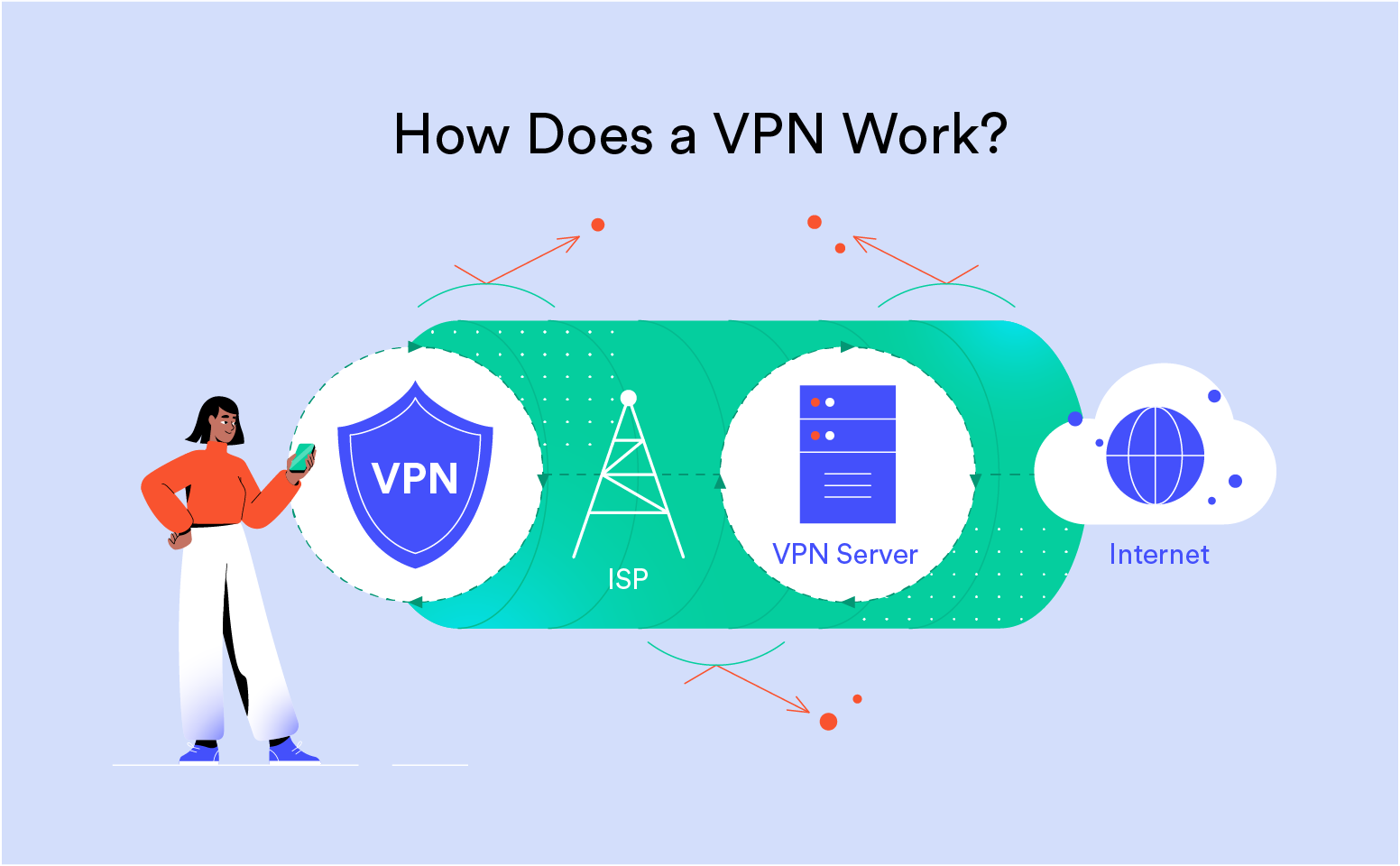
Open the settings menu of any VPN app and you’ll likely run into a list of unfamiliar acronyms asking you to pick a protocol, often with no real explanation of what the choice actually means for your day-to-day experience. Understanding VPN Protocols & Encryption doesn’t require a computer science degree, just a clear breakdown of what these settings actually control and why the right choice can genuinely affect both your security and your connection speed.
What a Protocol Actually Does
A VPN protocol is essentially the set of rules that determines how your device establishes a secure connection to a VPN server and how data gets encrypted and transmitted through that connection. Different protocols make different trade-offs between speed, security, and stability, which is why most VPN apps let you switch between several options depending on what you’re prioritizing at a given moment, whether that’s maximum security for sensitive work or maximum speed for streaming.
OpenVPN: The Long-Standing Standard
OpenVPN has been a trusted protocol for years, valued for its open-source transparency, which allows independent security researchers to continuously review its code for vulnerabilities, and its strong, battle-tested encryption. It tends to be slightly slower than some newer alternatives, owing to its more complex encryption handshake process, but its long track record and broad compatibility across devices make it a dependable default choice for many users prioritizing proven security over raw speed.
WireGuard: The Modern, Faster Alternative
WireGuard represents a newer generation of VPN protocol, built with a dramatically smaller codebase than older alternatives, which makes it easier to audit thoroughly and reduces the potential surface area for security vulnerabilities. It’s also noticeably faster than OpenVPN in most real-world conditions, making it an increasingly popular default for providers prioritizing connection speed without meaningfully sacrificing security. Many leading VPN services have adopted WireGuard, or a proprietary variant built on its foundation, as their recommended default protocol.
IKEv2/IPsec: Built for Mobile Stability
IKEv2, typically paired with IPsec for encryption, is particularly well-suited to mobile devices because of how efficiently it handles network switching, such as moving from Wi-Fi to cellular data without dropping the VPN connection. This makes it a strong choice for anyone frequently moving between networks throughout the day, even though it’s somewhat less universally supported across older devices and operating systems compared to OpenVPN or WireGuard.
Understanding Encryption Strength
Alongside protocol choice, encryption strength determines how difficult it would be for an unauthorized party to decode intercepted data. Most reputable VPN providers use AES-256 encryption, a standard considered effectively unbreakable with current computing technology and widely trusted across banking, government, and military applications. Some newer implementations use ChaCha20 encryption instead, particularly common alongside WireGuard, offering comparable security with better performance on certain mobile processors.
How These Choices Affect Your Actual Experience
In practical terms, choosing WireGuard or a similar modern protocol typically results in faster connection times and better streaming performance, while OpenVPN might be preferable in restrictive network environments, such as certain workplaces or countries with VPN-blocking measures, where its specific traffic patterns are sometimes better at avoiding detection. Most VPN apps default to a sensible automatic selection, but knowing how to manually switch protocols gives you more control when troubleshooting a slow connection or a blocked network.
Red Flags Worth Watching For
Be cautious of any VPN provider relying on outdated protocols like PPTP, which carries known security vulnerabilities and has largely been abandoned by reputable services, or providers that aren’t transparent at all about which protocols and encryption standards they actually use. A provider’s willingness to clearly document this technical information is itself a reasonable signal of how seriously they take security overall.
Perfect Forward Secrecy and Why It Matters
Beyond the base protocol and encryption standard, a feature called perfect forward secrecy adds another meaningful layer of protection by generating a new, unique encryption key for each session rather than reusing the same key repeatedly. This means that even if a single session’s key were somehow compromised, it couldn’t be used to decrypt past or future sessions, since each one relies on its own independently generated key. Most modern protocols, including WireGuard and properly configured OpenVPN implementations, support this feature, though it’s worth confirming a provider has it enabled rather than assuming it by default.
How Proprietary Protocols Fit Into the Picture
Some larger VPN providers have developed their own proprietary protocols, often built on top of WireGuard’s open-source foundation with additional modifications aimed at improving speed or evading network-level VPN blocking in restrictive environments. These proprietary options can offer genuine performance benefits, but because they’re not as openly auditable as fully open-source protocols, it’s worth looking for providers that are at least transparent about what modifications they’ve made and why, rather than treating proprietary technology as an automatic mark of superiority.
Why Some Networks Block Certain Protocols Entirely
Certain restrictive networks, including some workplace, school, and national networks, actively detect and block VPN traffic by recognizing the distinctive patterns certain protocols produce. This is part of why some providers offer an obfuscation feature, which disguises VPN traffic to look like ordinary encrypted web traffic, making it considerably harder for these restrictive networks to identify and block. If you regularly connect from a network known for blocking VPN traffic, checking whether a provider offers this kind of obfuscated connection option is worth prioritizing over raw speed alone.
Choosing What’s Right for Your Situation
There’s no single universally correct protocol choice — it depends on whether you’re prioritizing raw speed, maximum compatibility, mobile stability, or the ability to bypass network restrictions. Understanding what each option actually does removes the guesswork from that dropdown menu, letting you make a deliberate choice rather than simply accepting whatever default your VPN app happens to select.
